
A strong application for a web design or development role does not try to look impressive from every angle; it makes it easy for a hiring team to trust how you think, how you work, and what you can ship.
If you are preparing now, the usual questions are practical: What should go in the portfolio? How technical should the resume be? How much process should I show? What separates a thoughtful candidate from a collection of screenshots? Steve Jobs put one part of the standard plainly: “Design is how it works.” That line remains useful because most good hiring decisions are not about polish alone. They are about whether the work holds up under real constraints.
That matters because modern digital work is judged in public. Teams are expected to think about usability, accessibility, and speed long before a project reaches launch. The W3C introduction to accessibility is a concise reminder that accessible products remove barriers for real users, and web.dev’s performance guidance explains why performance work shapes the overall experience rather than serving as a late technical cleanup. A portfolio or resume that ignores those basics often reads as unfinished, even when the visuals are attractive.
In this guide, I will show the reasonable default for preparing an application that fits web design, front-end, development, or hybrid digital roles. You will see what to include, what to leave out, how to structure evidence, how to write better project bullets, and how to prepare for the kind of interview exercises that reveal whether someone can communicate, collaborate, and improve a real product.
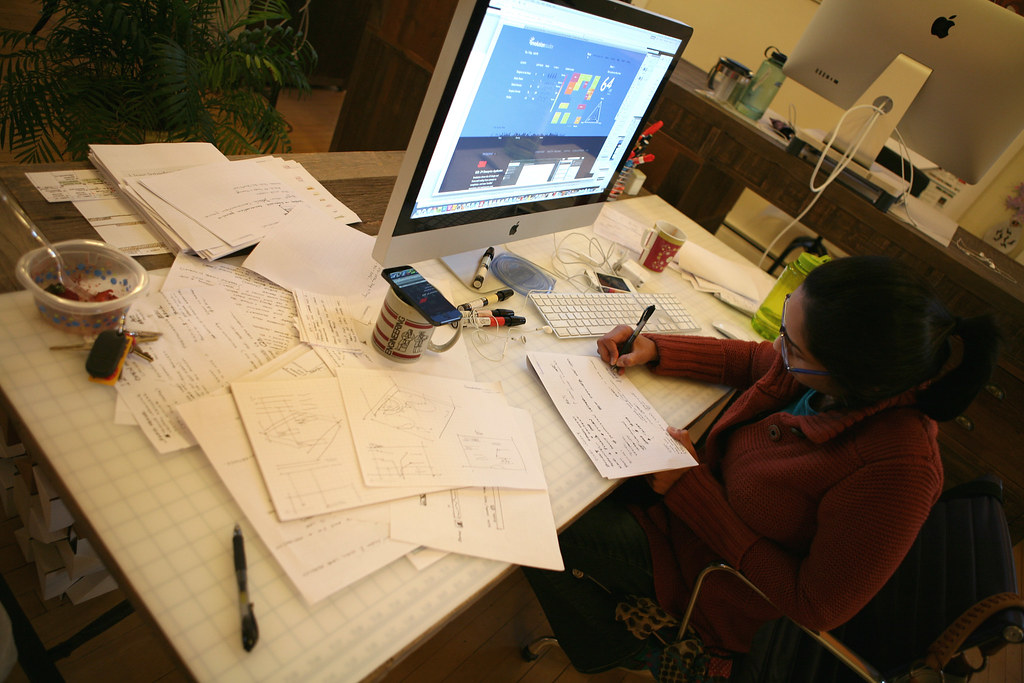
Terminology: What employers actually mean
Before adjusting the application, it helps to define the common signals employers use when they review one. The same portfolio can look weak or strong depending on how clearly it answers these categories.
- Craft: the quality of the visual, technical, or interaction work itself.
- Process: how you moved from problem to solution, including tradeoffs and iteration.
- Ownership: the parts you personally handled and the decisions you influenced.
- Constraints: time, platform, brand, legacy code, approvals, budget, or accessibility limits that shaped the work.
- Outcomes: what changed after launch or handoff, even if the result is qualitative rather than numerical.
- Collaboration: how you worked with developers, designers, writers, marketers, product managers, or clients.
The question is not whether you are “creative” or “technical” in the abstract. The question is whether you can show evidence that you make useful decisions inside a real project environment.
What hiring teams usually look for: communication, craft, and ownership
Different roles emphasize different strengths, but the evaluation pattern is more stable than many applicants expect. A clean application usually answers three concerns quickly: can this person do the work, can this person explain the work, and can this person be trusted with responsibility?
| Signal | What reviewers want to see | Common weak version |
|---|---|---|
| Communication | Clear summaries, specific decisions, readable case studies, concise resume bullets | Vague claims, unexplained visuals, jargon-heavy descriptions |
| Craft | Strong UI, solid code, thoughtful visual hierarchy, clean implementation choices | Pretty mockups with no structure, code samples with no context, inconsistent detail level |
| Ownership | Honest scope, direct explanation of your contribution, evidence of follow-through | “We built” language everywhere, unclear role boundaries, inflated responsibility |
If you only improve one thing, improve clarity. A reviewer should not need detective work to understand what you made, why it mattered, and which part was yours. A modest project described precisely usually beats a larger project described vaguely.
Build the portfolio around decisions, not decoration
The most useful portfolio structure is not “everything I have ever touched.” It is a small set of projects that demonstrate judgment. For most candidates, three to five projects are enough if each one explains a different strength. More items are not automatically better. They often make the signal blurrier.
I recommend this structure for each featured project:
- Project summary: what the product, page, campaign, or system was supposed to do.
- Your role: what you owned and what others owned.
- Constraints: what made the work harder or more specific.
- Approach: the process you used to get from problem to solution.
- Artifacts: wireframes, components, prototypes, code samples, design explorations, or annotated screens.
- Outcome: what improved, shipped, or was learned.
That format works for designers, developers, and hybrid roles because it exposes thinking rather than only the final surface. It also reduces a common risk: candidates showing polished end states with no proof they can handle messy middle stages.
How many projects should you show?
A reasonable default is:
- Junior candidates: 3 strong projects, even if one is self-directed or academic.
- Mid-level candidates: 4 to 5 projects with clear range across different constraints.
- Senior candidates: fewer projects can still work if each one shows scope, collaboration, and system-level thinking.
For example, one project might show responsive UI craft, one might show e-commerce or conversion thinking, one might show component or front-end implementation discipline, and one might show collaboration with content or marketing teams. The best fit depends on the job description. The portfolio is not a museum; it is evidence selection.
Show projects, outcomes, and constraints in the same frame
Many applications show only one of those three elements. That creates distortion. Projects without outcomes look theoretical. Outcomes without project detail look unearned. Constraints without solutions sound like excuses. The best case studies keep all three in view.
Here is a useful before-and-after pattern for case study summaries:
- Weak: “Designed a modern landing page for a retail brand.”
- Stronger: “Redesigned a retail landing page for mobile-first browsing, simplified the headline hierarchy, reduced form friction, and handed off responsive components for development within a two-week campaign window.”
- Weak: “Built a website for a client.”
- Stronger: “Built a custom WordPress marketing site with reusable content sections, performance-minded image handling, and editor-friendly templates so the client could update campaign pages without touching code.”
The stronger versions are better because they expose the nature of the work, the user context, and the operating constraints. They let the reviewer imagine how you would behave inside another project.
Write role-specific resume bullet points
Resume bullets should read like scoped evidence, not like a list of software names. The safest reasonable default is to lead with the action, then the object, then the purpose or outcome.
| Role focus | What the bullet should emphasize | Example |
|---|---|---|
| Web designer | layout, hierarchy, responsive thinking, brand fit, usability | Designed responsive landing pages and UI components that aligned campaign goals with clearer mobile hierarchy and simpler calls to action. |
| Front-end developer | implementation quality, components, semantics, maintainability, performance | Built reusable front-end components, improved semantic markup, and reduced unnecessary page weight during a redesign handoff. |
| Full-stack or CMS developer | systems thinking, editor workflows, integrations, release ownership | Implemented a CMS-driven site structure with reusable templates and documented content workflows for non-technical editors. |
| Graphic designer for digital teams | campaign assets, consistency, production readiness, cross-channel application | Created digital campaign assets and visual systems that translated consistently across web banners, social posts, and email graphics. |
Watch for two frequent mistakes:
- Tool dumping: listing every tool without saying what you accomplished with it.
- Empty intensity words: “amazing,” “dynamic,” “innovative,” and similar labels that do not prove anything by themselves.
Specificity is more persuasive. If you improved navigation, say how. If you built a system, say what was reusable. If you supported accessibility, say what you checked or changed. If the outcome was not measurable, describe the operational effect honestly instead of inventing a number.
Show your process: wireframes, prototypes, and iteration notes
This is often the difference between a candidate who looks polished and a candidate who looks employable. Teams rarely hire only the final screen. They hire the ability to work through ambiguity, revision, and tradeoffs.
Useful process artifacts include:
- Low-fidelity wireframes that show initial layout thinking
- User flow sketches that explain how people move through the experience
- Component explorations or design system notes
- Prototype snapshots or short clips that demonstrate interaction logic
- Annotated code excerpts when the implementation choice matters
- Iteration notes explaining what changed after feedback
Process does not mean showing every draft. It means showing enough evidence that someone can see your judgment improving the work. One well-annotated wireframe can say more than ten glossy but unexplained screens.
For development candidates, this section can include repository or documentation habits too. A short README, setup note, or component explanation signals collaboration maturity. GitHub’s guidance on useful README structure is a good reference point because it mirrors what teammates need when they inherit a project.
Accessibility and performance awareness belong in the application
Many applicants treat accessibility and performance as specialist topics that only matter for senior engineers. That is a mistake. Even junior candidates gain credibility when they show awareness of basics.
For designers, that can mean noting decisions about contrast, focus states, form labels, spacing, touch targets, or readable type hierarchy. For developers, it can mean semantic HTML, image handling, keyboard support, reduced layout instability, or lighter front-end execution. MDN’s overview of what accessibility means on the web is useful because it connects design and implementation rather than splitting them into separate silos.
You do not need to present yourself as a standards lawyer. You do need to show that you notice the basics. A short line such as “Reviewed color contrast and mobile tap target spacing during handoff” or “Optimized image sizes and reduced unnecessary scripts on key landing pages” is enough to improve the application materially.
Use collaboration signals that feel real
Hiring managers often read collaboration indirectly. They are looking for evidence that you can work with other people without creating unnecessary friction. The best application signals are usually quiet:
- clear file naming or design handoff notes
- version history that shows iteration rather than chaos
- documentation that helps the next person continue the work
- honest credit for copywriters, developers, photographers, marketers, or clients
- brief explanation of feedback you incorporated and why
If you say “collaborative team player” and provide no evidence, the phrase disappears on contact. If you say “worked with development to simplify a navigation pattern after testing the first concept” or “aligned asset specs with marketing and content before launch,” the signal becomes credible.
This is also where role fit matters. A web designer can gain ground by showing handoff clarity. A developer can gain ground by showing documentation and review discipline. A graphic designer working in digital teams can gain ground by showing how campaign assets stayed consistent across web, social, and email environments.
What to leave out of the application
Applicants usually spend more time adding material than removing it. That is understandable, but it often weakens the package. A tighter application is easier to trust because it respects the reviewer’s limited time and keeps the decision criteria visible.
Consider removing or reducing:
- Unexplained visual dumps: galleries of screens with no role, constraint, or outcome context.
- Inflated group language: repeated “we” statements when your personal contribution is still unclear.
- Obsolete tool lists: long inventories of software that do not map to the target role.
- Weak filler projects: pieces you would struggle to defend in detail during an interview.
- Dense autobiography: background detail that does not help the employer judge craft, ownership, or collaboration.
Editing is part of the application. A candidate who can prioritize the right evidence is already showing judgment. If you need a reference point for the type of roles and responsibilities this site emphasizes, the Careers page is a better guide than trying to make one generic portfolio fit every possible employer.
Prepare for interviews with practical exercises in mind
Interview prep is easier when you assume the team is trying to answer a limited number of questions. Most exercises are variations on these themes:
- Can this person explain past work clearly?
- Can this person critique a workflow or interface without becoming vague?
- Can this person make a reasonable decision with incomplete information?
- Can this person accept feedback and improve the solution?
That means your preparation should include both speaking and doing.
Useful interview practice for designers
- Walk through one portfolio piece in under five minutes.
- Explain why you rejected at least one earlier concept.
- Practice critiquing a form, hero section, or checkout step using specific criteria rather than taste alone.
- Be ready to discuss mobile decisions, accessibility basics, and handoff details.
Useful interview practice for developers
- Explain one build decision, one debugging decision, and one tradeoff you would revisit.
- Practice narrating how you would improve an existing page for semantics, maintainability, or performance.
- Be ready for small exercises involving responsive layout, data display, or content structure.
- Review your own sample code before the interview so you can speak about it without rediscovering it live.
A reasonable default for both groups is to prepare one “deep project,” one “quick win project,” and one example of feedback changing your decision. That gives the interviewer more than one angle on your work. It also prevents a single favorite project from carrying the entire conversation.
What to include for graphic design roles inside digital teams
Graphic design applications often miss the digital context by focusing only on standalone visuals. If the role touches websites, landing pages, email, or campaign systems, show that you understand production realities as well as aesthetics.
Include evidence such as:
- campaign asset families, not only single hero images
- resizing or adaptation logic across desktop, mobile, and social placements
- brand consistency rules that survived multiple formats
- handoff readiness for web teams, including dimensions, exports, and naming
- examples where you balanced visual ambition with readability or performance constraints
The best fit for these roles is rarely “pure expression.” It is controlled expression inside a real system. That is a more convincing story for agencies, in-house teams, and digital studios alike.
A final application checklist
Before sending anything, review the package against these decision criteria:
- Does the resume explain impact in role-specific language rather than generic adjectives?
- Does the portfolio show three to five projects with clear ownership and constraints?
- Can a reviewer understand your process without reading a wall of text?
- Have you shown at least basic awareness of accessibility and performance?
- Do your examples suggest collaboration, documentation, and feedback maturity?
- Can you talk through one project clearly in an interview without improvising the logic?
Not all strong applications are flashy. The ones that last in memory are usually the ones that reduce uncertainty for the reviewer. They make it easy to see the craft, the judgment, and the level of responsibility you are ready to carry.
Choose the safest reasonable default
If you are deciding what to fix first, choose the change that makes your work easier to trust: clarify ownership, rewrite vague bullets, trim weak projects, annotate one case study, or add one clean explanation of accessibility or performance thinking. Those are high-signal changes.
For a broader view of the role profiles and project expectations this site highlights, review the Careers page. If you want to introduce your work or ask a practical question before applying, use the contact page. A calm, well-structured application is usually the best fit.