
Social promotional apps can absolutely help, but only when the promotion fits the goal, the audience, and the amount of friction people are willing to tolerate.
If you are weighing one of these tools right now, the usual questions are pretty practical: Will people actually use it? Will it help us collect leads or drive sales? Will it make the brand feel more polished or more awkward? And how much work will it quietly create after launch?
For broader planning context, teams can compare guidance from web.dev guidance before choosing a workflow.
The short answer is that a social promotional app is usually not a magic growth button. It is a marketing mechanic: a small tool or experience designed to trigger an action such as entering a giveaway, sharing a referral code, unlocking a coupon, voting in a contest, or signing up for future messages. Sometimes that mechanic gives a campaign structure and momentum. Other times it adds one login too many, one permission request too many, or one more dashboard nobody wants to maintain.
In this guide, I will give you the plain version first. You will see where social promo apps tend to work, where they often slow people down, how to judge the user experience, and what to consider before building, buying, or skipping one altogether. If you are also reviewing broader campaign support, our services page and contact page are there when you want a second set of eyes.
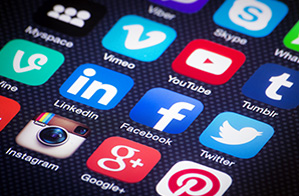
What is a social promotional app, exactly?
A social promotional app is a campaign tool connected to a social action. It might live inside a website, a landing page, an e-commerce flow, or a campaign microsite. Its job is to turn attention into a measurable response.
Related implementation details are also covered in MDN Web Docs, which helps keep tool decisions grounded in established practices.
That response might be:
- Coupon redemption: “Enter your email and get 10% off.”
- Referral sharing: “Invite a friend and both of you get a reward.”
- Engagement: “Vote, comment, upload, spin, or participate.”
- Lead capture: “Join the list to get early access, a guide, or a launch reminder.”
The phrase can sound bigger than it is. In practice, a social promotional app might be a contest widget, a referral program flow, a gated giveaway page, a social signup layer, or a simple share-for-reward experience. The label matters less than the actual job.
Start with the real goal: coupon, referral, engagement, or lead capture?
This is the first fork in the road, and it saves a surprising amount of wasted time. Many teams say they want “more engagement” when what they really need is more qualified email signups or more first purchases. Those are not the same thing, and the wrong app often comes from mixing them together.
If the goal is coupon redemption
A promotional app can help when you want a clear exchange: one action, one reward. For example, a retail campaign may use a short signup form that unlocks a limited-time code. That works best when the offer is easy to understand and the reward appears immediately. If people need to verify an account, connect a profile, confirm another screen, and then hunt for the code, the excitement drains fast. Marketing is not improved by turning a discount into an escape room.
If the goal is referrals
Referral mechanics are stronger when customers already like the product and the reward feels fair to both sides. A happy customer sharing a personal invite with a friend is very different from a cold visitor being asked to broadcast a campaign before they trust the brand. Referral apps tend to add value after the first successful purchase or signup, not before.
If the goal is engagement
Contests, polls, uploads, and challenges can lift participation when the audience already has a reason to care. A beauty brand might run a routine-sharing challenge. A food brand might ask for recipe entries. An events business might run a quick audience vote. In each case, the app works because the action feels native to the audience. If the interaction feels bolted on just to inflate numbers, people notice.
If the goal is lead capture
This is one of the most common use cases and one of the easiest to overbuild. If all you need is a name, email, and one preference field, a full promotional app may be unnecessary. A focused landing page can often do the job with fewer moving parts. The more fields and rules you add, the more you should ask whether the data is genuinely useful or just comforting to the team.
Where these apps add value and where they create friction
Social promotional apps add value when they do one of three things well:
- Make the reward obvious.
- Make the next step easy.
- Make the result measurable.
They tend to perform well in campaigns such as:
- A referral offer after purchase, where the user already trusts the brand and wants to share.
- A product launch waitlist with a clear benefit for signing up early.
- A seasonal giveaway where the entry rules are short, visible, and easy to complete on mobile.
- A community participation campaign where user-generated content actually fits the brand voice.
They create friction when the app becomes more complicated than the value being offered. A few common examples:
- A visitor wants a quick coupon but must create an account first.
- A referral experience asks for social permissions before trust exists.
- A campaign tool looks visually separate from the main site, making users wonder whether they were redirected somewhere sketchy.
- Reporting is so vague that the team cannot tell whether the app generated qualified leads or just empty participation.
A useful test is this: if you explained the promotion aloud to someone in ten seconds, would it sound simple? “Sign up and get the code” is simple. “Join, connect, verify, share, come back, and then wait for a confirmation email” is not.
User experience: sign-up, permissions, and how many steps are too many
User experience is where good campaign ideas often go to pick up unnecessary luggage. The more promotional an experience feels, the more carefully you need to control the number of steps.
Sign-up should match the reward
If the reward is small, the signup should be lighter. Asking for a full profile to enter a simple draw is a mismatch. Asking for basic contact information in exchange for a higher-value consultation, preview, or invitation can make more sense. People do not mind giving information when the trade is clear. They mind feeling tricked into work.
Permission requests should feel earned
Social logins and permissions can speed up a flow, but only when the request feels necessary and familiar. If a promotional app asks for access that seems unrelated to the offer, trust drops quickly. A clean rule here is to ask only for what the experience genuinely needs right now. Anything else belongs in a later step, or not at all.
Mobile experience is the real test
Many social promotions are discovered on mobile, even if the team designs them on desktop. That means small forms, readable buttons, quick loading, and no awkward modal maze. If an app flow feels delicate on a phone, it will likely underperform. A promotion should feel like a nudge, not a paperwork request squeezed onto a five-inch screen.
Fewer decision points usually win
Every extra choice creates a chance to leave. Which account should I use? Should I share this now or later? Do I need to verify? Why am I on a new page? Strong promotional flows remove hesitation by answering those questions before they appear.
Brand consistency and design integration matter more than teams expect
One of the quickest ways to weaken a campaign is to make it look like it belongs to somebody else. If the typography, colors, button styles, tone, and layout suddenly change inside the app, users feel the seam. Even if they cannot name the problem, they register it.
Good integration means the promotional experience looks and sounds like the rest of the brand:
- The same visual language appears across landing pages, emails, and the app flow.
- The offer is written in the same tone as the site, not generic campaign-speak.
- The handoff from ad or post to landing page to app feels continuous.
- Confirmation states, error messages, and success screens still sound like the brand.
Bad integration usually shows up as a sudden widget look, a cramped embedded frame, or a form style that feels copied from somewhere else. That may not sound dramatic, but it affects trust. People are more likely to complete a promotion when the environment feels coherent.
Data ownership and reporting: know what you are actually getting
This is the section teams tend to postpone until after launch, which is a polite way of saying “until it becomes annoying.” Before you adopt a social promotional app, be clear about who owns the collected data, where that data lives, and what you can export without drama.
Ask practical questions such as:
- Do you control the participant list or only view it inside a third-party dashboard?
- Can you export names, emails, consent details, and source data in a usable format?
- Can you distinguish between entries, qualified leads, and converted customers?
- Will campaign data connect cleanly to your CRM, email tool, or analytics setup?
- Can you compare one campaign against another using the same definitions?
A lot of disappointment comes from reporting that looks busy but answers very little. A dashboard full of impressions, clicks, and participation counts may look energetic while still leaving the team unable to answer the only question that matters: did this campaign create useful business outcomes?
If you want a lightweight way to compare a custom campaign flow against a packaged promotional tool, even a quick prototype from a web app generator can help teams test the shape of the experience before they commit to a more complex build.
Maintenance and cost over time
The launch cost is only the visible part. Social promotional apps also come with maintenance work, and this is where a “simple campaign tool” can turn into a recurring operational task.
Typical ongoing costs include:
- Design upkeep: new seasonal campaigns, updated banners, revised copy, and mobile tweaks.
- Technical support: integrations, compatibility checks, form errors, and tracking fixes.
- Moderation: reviewing entries, filtering spam, or handling user questions.
- Reporting: cleaning exports, reconciling metrics, and explaining performance to stakeholders.
- Compliance and consent review: especially when data collection rules or internal processes change.
This does not mean “do not use one.” It means the app should earn its place. A social promotion worth running should produce either better outcomes, better efficiency, or better insight than a simpler option. If it does none of the three, it is probably decoration with a login screen.
Sometimes the better option is not an app at all
Plenty of campaign goals can be handled by simpler tools with fewer points of failure. This is often the most useful realization in the whole evaluation process.
| Need | App may help when | Simpler alternative |
|---|---|---|
| Collect leads | You need campaign logic, reward rules, or participation states | Focused landing page with one offer and one form |
| Drive referrals | You already have customer trust and a two-sided reward | Post-purchase invite email with unique referral links |
| Boost engagement | The audience has a clear reason to vote, submit, or share | Onsite poll, social post series, or gated content drop |
| Promote a launch | You need entry tracking, timed rewards, or segmented follow-up | Email waitlist, homepage banner, or campaign microsite |
Landing pages, email capture forms, and onsite promotional sections are not flashy, but they are often easier to design, easier to measure, and easier to improve. A well-written landing page with a strong offer can outperform a more elaborate app simply because the path is clearer.
Real-world examples of where the fit changes
Here are a few plain-language examples that show how context changes the answer:
Example 1: the app is helpful
An e-commerce brand launches a referral reward for existing customers only. The customer already knows the product, receives a personal share link after purchase, and the friend gets a first-order incentive. The app adds value because it handles links, rewards, and attribution more cleanly than a manual process would.
Example 2: the app adds friction
A brand wants to grow its email list and installs a contest experience with multiple verification steps, social login options, and extra profile fields. Visitors mainly wanted a discount or a quick update. A short landing page with one form likely would have captured more qualified leads with less drop-off.
Example 3: the answer depends on design integration
A campaign asks users to submit photos for a themed challenge. The concept fits the audience, but the embedded experience looks off-brand and works poorly on mobile. Participation suffers, not because the idea is bad, but because the execution interrupts trust.
Checklist before you build or buy
If you only keep one part of this article, keep this. Before signing a contract or briefing a build, run through the checklist below.
- Can we name the exact goal? If the answer is “engagement and maybe leads and maybe sales,” narrow it down.
- Is an app the simplest path? Compare it honestly against a landing page, email flow, or onsite promo.
- What action are we asking users to take? Make sure the effort matches the reward.
- How many steps are in the flow? Map them from first click to confirmation.
- What permissions are required? Remove any request that is not clearly necessary.
- Does the design feel like our brand? Check typography, layout, tone, buttons, and success states.
- What happens on mobile? Test it like a real visitor, not just a desktop reviewer.
- Who owns the data? Confirm export access, consent records, and reporting definitions.
- How will we judge success? Define the main metric before launch.
- Who will maintain it after go-live? Assign real owners for updates, moderation, and reporting.
So, are social promotional apps worth it?
Sometimes yes, and that is the honest answer. They are worth it when they make a campaign easier to understand, easier to participate in, and easier to measure. They are not worth it when they exist mainly because the team wants something that feels more interactive than a simple page.
If your promotion depends on sharing logic, reward tracking, campaign states, or participation rules, an app can earn its keep. If your goal is mostly straightforward lead capture or a single offer, a simpler path may do better. The right question is not “Should we use a social promo app?” The better question is “What is the lightest experience that can still do the job well?”
If you are weighing that decision and want help mapping the experience before you build, you can explore our services or get in touch for a practical review of the campaign flow, content, and design fit.